Building Image using Maven Plugin
If you have a nice ready spring boot application, we can easily dockerize it and ship.
Before that we need to take care of few things like:
- Make sure docker desktop is running in windows before creating an image.
- Spring Boot already has a plugin for creating Docker images because it is accessible through the
spring-boot-starter-parentstandard that is included in your pom.xml. Incase if you want to change the name of the image other than the mentioned artifactid or name than you can specify the name of theimagein the pom.xml as shown in below code
NOTE: if your Dockerfile is located in your source code repository, it will be disregarded or ignored.
- After this navigate to the project directory, open terminal and run
./mvnw clean install spring-boot:build-image, now this will start the build process and will generate a local image of your application. To skip the test cases use flag-DskipTests
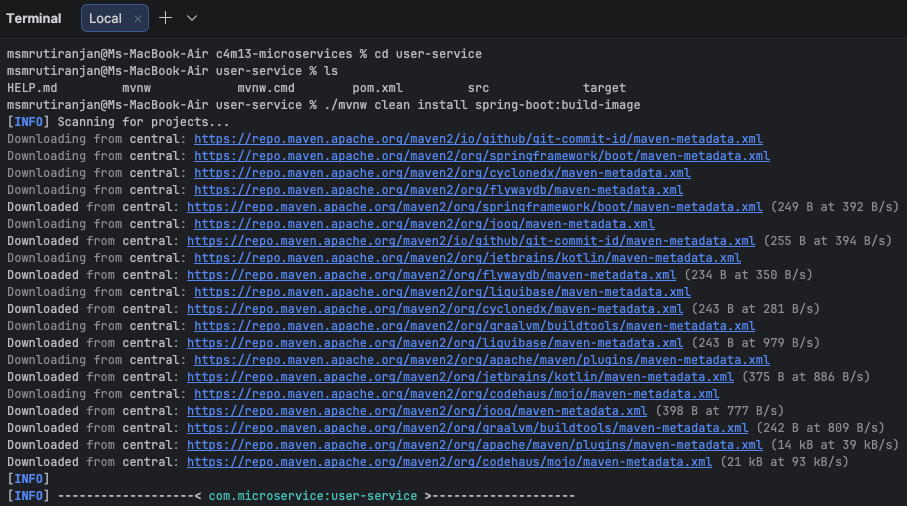
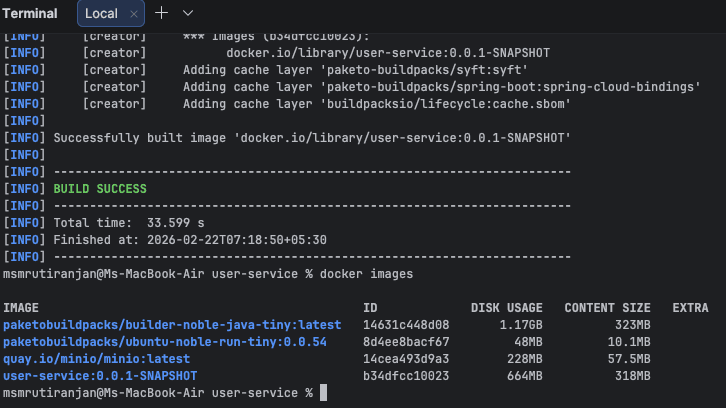
Few things to remember#
- The image is not pushed to docker hub, it is available locally which can be used in local systems, cannot be shared or shipped.
- If your application has some configurations like database, zipkin, etc., then create separate
application-<profile>.propertiesor.ymlfile and choose that property file to run for docker e.g.,SPRING_PROFILES_ACTIVE: ${SPRING_PROFILES_ACTIVE}because if on the local machine you are connecting to db by://localhost:5432/userServiceDB, then inside docker there will be nolocalhost, you need to create another container for the database and in place oflocalhostuse that container name. Below given an example of properties file for docker profile, these values can be injected either by using a docker-compose file or with Optional settings while starting the container.
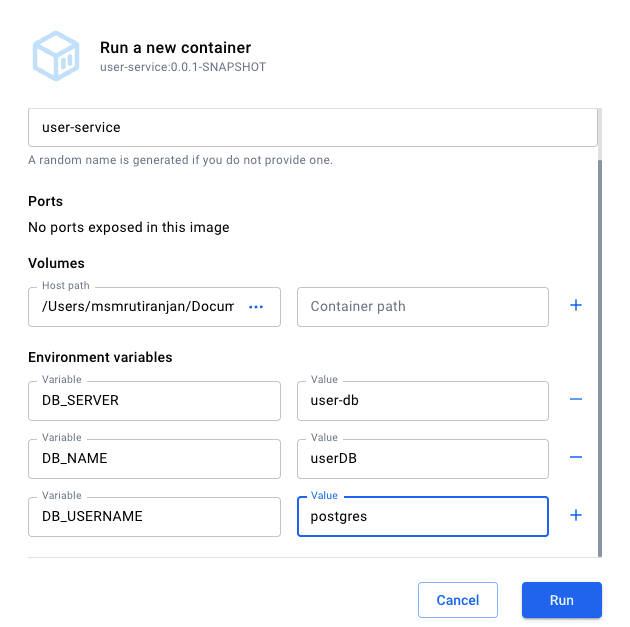
- For selecting a profile to run use the flag SPRING_PROFILES_ACTIVE docker run -p 8080:8080 -e SPRING_PROFILES_ACTIVE=dev your-image-name:tag for multiple profiles use , to list the profiles.
Conclusion#
Using the Spring Boot Maven plugin, developers can easily build Docker images directly from their application without writing a separate Dockerfile. This approach simplifies the containerization process, enabling quick image creation, environment-specific configuration through profiles, and seamless deployment of Spring Boot applications in containerized environments.