Building Image using Google Cloud Tools
jib-maven-plugin is a container image build tool provided by Google under com.google.cloud.tools. It allows you to build Docker and OCI-compatible images directly from a Maven project without requiring a Dockerfile or running the docker-desktop while building image.
One key difference between Jib and traditional Docker-based image creation is how dependencies are handled. With a standard Dockerfile approach, applications are often packaged as a single JAR file that may include all dependencies, resulting in larger image layers. Jib, however, builds images in a layered and optimized manner by separating application classes, resources, and dependencies into distinct layers.
Because of this layered strategy and optimized packaging, images built using Jib are typically smaller and more efficient. They avoid unnecessary inclusion of build-time or offline dependencies and leverage caching effectively, resulting in lightweight and faster image builds.
Note: This will not just create image but also push the image to the docker hub which can be easily share. Make sure you have login and authenticated the cli before using this process.
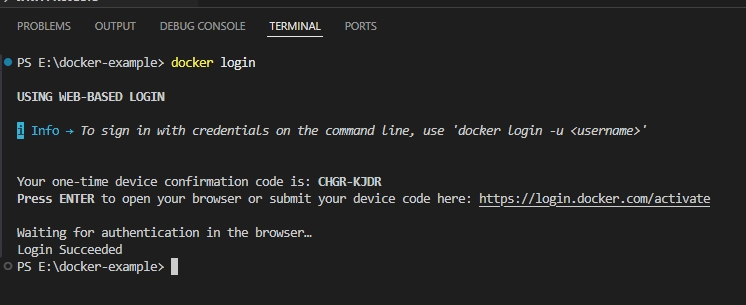
Step by step process
1. Add the below configuration in under plugins in the pom.xml
2. As you can notice in the above configuration we have added <execution> phase instruction that is when we will run package command, during that time it will create the image and along with that it will push it to the docker hub.
Now open terminal and run ./mvnw clean package -DskipTests
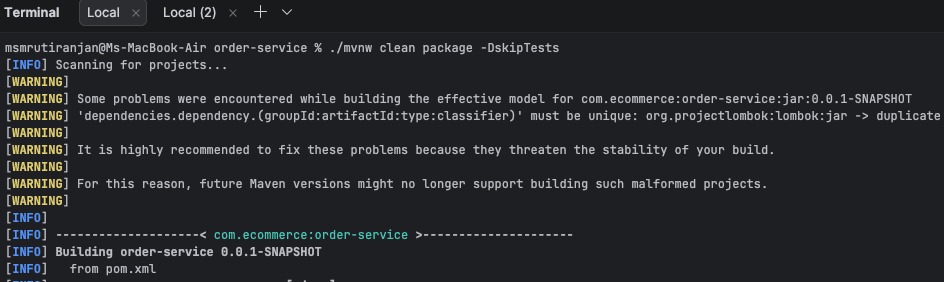
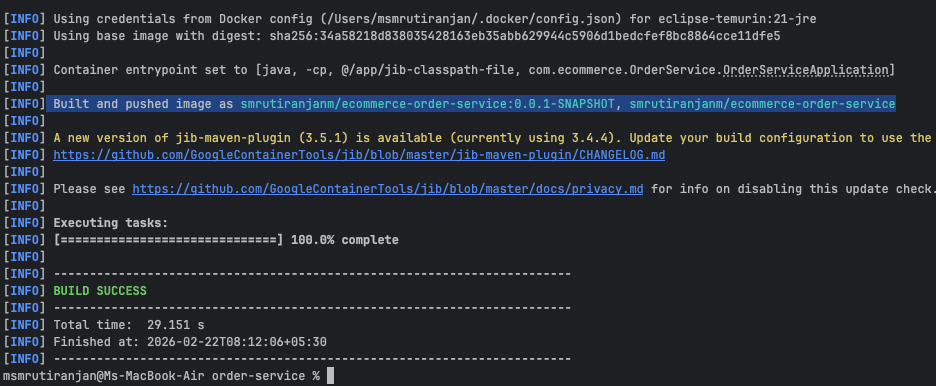
3. Now you can pull this image using docker pull <image-name> on any system with docker installed and run the image.
Conclusion#
Using the Jib Maven Plugin, developers can build and push container images directly from a Maven project without writing a Dockerfile or running Docker locally. Its layered image-building approach creates smaller, optimized images while simplifying the build and deployment process, making it highly suitable for modern CI/CD workflows.